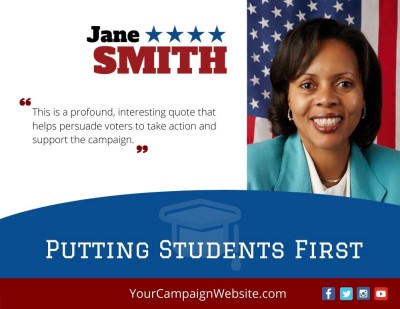
Attractive graphic design and school board campaigns go hand-in-hand. Good designs are needed for everything from websites to social media posts to print materials.
If you don’t have a designer handy (or can afford one) for your graphic and print needs, then you may a problem.
One way to get a head start on your campaign’s graphic needs is with designed-for-you Canva templates.
Canva templates are easy to edit use – even if you don’t have any graphic design experience.
What is Canva?
Canva is an easy to use online graphic design tool. It offers offers drag-and-drop functionality, along with a huge library of stock images, graphics and fonts. Even if you are novice and never used a graphic design program, you still create great-looking graphics for web and print. You can easily change colors, fonts, and add your own images.
Canva offers a variety of content types. From pre-sized social media images to marketing materials such as brochures, postcards, invitations and ads, you’ll find almost everything you
School Board Canva Templates
Good graphic design is useful throughout a school board campaign. Candidates need graphics for websites, social media posts, brochures, postcards, flyers, event announcements, and other campaign material.
If you don’t have a designer available—or can’t afford custom design for every piece—you can use Canva templates to get a head start on your campaign graphics.
Canva templates are easy to edit, even if you don’t have much graphic design experience. You can replace the sample text and photographs, add your campaign logo, and change the fonts and colors to match the rest of your campaign.
A free Canva account is enough to edit most campaign templates. Canva also offers paid features and printing services, but you don’t need a paid account simply to open and customize the Online Candidate templates.
Using Canva Templates for Your Campaign
A template gives you a prepared design, but you’ll still need to make it fit your campaign. Replace all sample content before publishing or printing the finished piece.
Check that the design includes the correct:
- Candidate name
- Office and district
- Campaign logo and slogan
- Website and contact information
- Photographs
- Election or event dates
- Campaign disclaimer, when required
Use the same logo, fonts, and basic colors that appear on your campaign website, signs, and other material. Your graphics don’t have to be identical, but they should look like they belong to the same campaign.
Don’t try to fill every part of the template with text. A social image may need only a short headline and website address. A brochure or flyer can provide more detail, but it should still be easy to scan and read.
How to Get Your Free Political Canva Templates
First, create an account with Canva. The free version is sufficient for most individual users.
Online Candidate clients can log into their campaign website administration and check the Marketing section in the top menu. Free social media templates are also available through OnlineCandidateResources.com. The login information is located in the website administration dashboard.
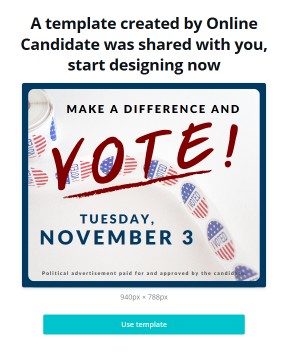
Click a template link to open it in Canva. You should see a template preview and a button that allows you to use or customize the template.
Create your own copy before making changes. You can then edit the text, replace the photographs, change the colors and fonts, and add your campaign logo.
When the design is finished, you can download it as a JPG, PNG, or PDF. Choose the file type based on whether the graphic will be used online or sent to a printer.
School Board Print Templates
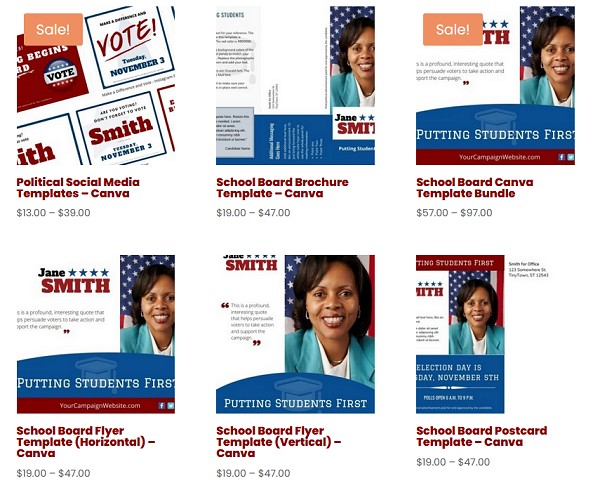
Online Candidate also offers editable school board templates for:
- Campaign brochures
- Flyers
- Postcards
- Rack cards and handouts
- Social media graphics
- Coordinated campaign print packages
View School Board Canva Templates
Review the Design Before Using It
Before posting or printing a design, check the spelling, dates, office title, district information, links, and campaign disclaimer. Make sure all sample names, photographs, and placeholder text have been removed.
For printed pieces, ask the printer about the required size and file format before completing the design. Print a proof when possible, particularly for brochures, postcards, or larger orders.
Keep the editable Canva version and downloaded files in an account controlled by the campaign. That will make it easier to correct or reuse the material later.
Campaign disclaimer and political-advertising requirements vary. Confirm the rules that apply before printing or publishing campaign material.These templates aren’t affiliated with or endorsed by Canva.