
Many school board candidates treat a website as an online brochure. Its more useful role is to answer the questions voters have after seeing the candidate’s name on a sign, receiving a mailer, reading a social post, or hearing about the race from someone else.
A website will not replace canvassing, mail, signs, forums, or personal outreach. It gives those activities somewhere to send voters for more information.
From web traffic information, we regularly see voters use campaign websites to check a candidate’s background, priorities, endorsements, voting information, and contact details. We also see campaigns delayed because the design is ready but the candidate has not finished the biography or decided what to say about the issues.
A school board campaign website should answer six questions:
- Who is the candidate?
- Why is the candidate running?
- What experience is relevant to board service?
- What are the candidate’s main priorities?
- When and how can district residents vote?
- How can someone contact or support the campaign?
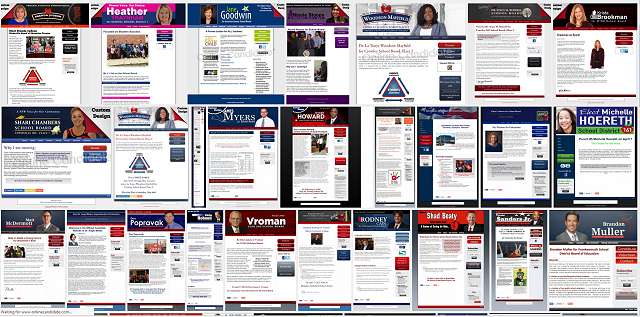
A small school board campaign doesn’t need a large website. Five or six complete pages are all that’s needed to get a solid message across to voters and to serve as the hub of the campaign.
Prepare the Content Before Building the Website
Candidates often begin with colors, photographs, logos, and layouts. Those choices matter, but they are rarely what delays the launch. The missing pieces are usually the biography, issue copy, candidate photograph, or basic campaign details.
Before website setup begins, prepare:
- The candidate’s name as it will appear on the ballot
- The official office, seat, district, or trustee area
- A campaign biography
- A short explanation of why the candidate is running
- Three to five main priorities
- A clear candidate photograph
- Campaign contact information
- The election date and official voting-information links
- The campaign disclaimer required in your jurisdiction
- A political donation-platform link, if contributions will be accepted
For Online Candidate website orders, we provide a simple questionnaire and worksheets to make the content process go smoothly.
You don’t need every endorsement, event, photograph, or campaign update ready before launching. A website is designed to be updated. That said, your site should not launch with an unfinished biography, empty issue pages, or navigation links marked “coming soon.”
Essential School Board Campaign Website Pages
| Page | What It Should Include |
|---|---|
| Home | The candidate’s name, office, photograph, reason for running, main priorities, and a clear next step. |
| About | The candidate’s community connection, professional background, education, volunteer work, and experience relevant to the board. |
| Priorities or Issues | Three to five district concerns and enough explanation for voters to understand the candidate’s approach. |
| Voting Information | The election date, seat or trustee area, and links to official registration, early voting, absentee or mail voting, and polling information. |
| Support | Ways to volunteer, request a sign, host a gathering, canvass, make calls, or contribute. |
| Contact | A campaign email address, contact form, social links, and any other public contact details. |
Other pages can be added when there is enough material to support them. Endorsements may deserve their own page once several have been received. News and events can be useful during an active campaign. A separate donation page makes sense when fundraising is an important part of the campaign.
Don’t create or add pages simply to make the website appear larger. A single endorsement does not require an endorsement page, and one event does not require a separate event calendar.
What the Home Page Should Accomplish
The home page should immediately identify the candidate and the office being sought. A visitor should not have to search the navigation menu to determine which race the website covers.
A basic home page should include:
- The candidate’s name and office
- A recognizable photograph
- A short explanation of why the candidate is running
- Main priorities
- A brief qualifications section
- Voting information
- Links to volunteering, requesting a sign, or contributing to the campaign
Example Home Page Introduction
Daniel Carter for North Valley School Board
North Valley faces difficult decisions involving declining enrollment, aging buildings, and rising operating costs. I am running to bring closer financial review, practical facilities planning, and clearer public explanations to those decisions.
During 20 years in business management, I have prepared budgets, supervised employees, negotiated contracts, and managed long-term projects. I would bring that experience to the board while listening to parents, educators, students, and other district residents.
This introduction tells voters which office Daniel is seeking, what brought him into the race, and why his experience may be relevant. It provides more information than a slogan about supporting students or strengthening schools.
Give Campaign Priorities Enough Detail
Words such as “safety,” “achievement,” “transparency,” and “fiscal responsibility” don’t explain a position by themselves. Voters need context to understand your positions and stances on the issues.
Too general:
I support fiscal responsibility and educational excellence.
More useful:
Before approving a major program or construction project, the board should review its full cost, available funding, expected results, and long-term effect on the district budget. Residents should receive that information before the final vote.
Most candidates do not need lengthy policy papers. Three to five priorities explained in practical terms are usually more useful than a list of ten or fifteen issues with only a sentence about each.
Review common school board campaign issues.
Handle the Practical Website Details Early
Choose the Domain Name Before Printing Campaign Material
The website address should be easy to say, type, and print. Candidate names are usually the strongest starting point.
- JaneSmith.com
- JaneSmithForSchoolBoard.com
- ElectJaneSmith.com
- JaneForDistrict4.com
Confirm the official office, seat, district number, and spelling before registering the domain. We have seen campaigns settle on a web address after signs or literature were already designed, forcing them to rework material or use a less suitable domain.
Learn more about choosing a school board campaign domain name.
Connect a Political Donation Platform
A campaign website normally links to or displays a form supplied by a political fundraising service. The website itself does not replace the campaign’s donation platform or campaign-finance records.
Before publishing the link, confirm that the service:
- Is connected to the correct campaign bank account
- Collects the donor information required for the race
- Works properly on a mobile phone
- Provides usable transaction and donor records
- Displays the required disclaimer and eligibility language
The donation page should also explain what contributions will fund. A button gives supporters a payment method, but it does not give them a reason to contribute.
Link to Official Voting Information
Identify the election date, the office or trustee area, and the official agency responsible for registration and voting information.
Do not copy large amounts of election information onto the campaign site and assume it will remain accurate. Polling locations, deadlines, voting methods, and procedures can change. Link voters to the election authority and review your own voting page regularly.
Use the Website and Social Media Together
Social media is useful for photographs, event promotion, campaign updates, and interaction. It is not a complete substitute for a website.
Posts quickly move out of view and may not reach every follower. A website keeps the biography, priorities, endorsements, voting information, and supporter options organized and accessible.
Use social posts to direct people to the website for details. Use the website to identify the campaign’s active social profiles.
Learn more about building online campaign support.
Keep the Website Current
The website does not need daily updates, but voters should be able to tell that the campaign is active.
Useful updates may include:
- Candidate forum dates
- New endorsements
- Campaign events
- Responses to important district developments
- Photographs from canvassing and community events
- Volunteer and sign requests
- Registration and voting reminders
Review and continue to update the site as Election Day approaches. Remove canceled events, update contribution links, test forms, and make sure the election date and contact information remain correct.
What We See Candidates Get Wrong
These are some problems we regularly see while setting up and reviewing local campaign websites through Online Candidate.
- Starting the design before completing the content. The technical setup may be ready while the biography, priorities, and photographs remain unfinished. We usually start the design when we have all the initial content.
- Publishing only a biography. Voters need to know why the candidate is running and what matters in the race, but that should not be the only thing on your website.
- Using broad campaign language. Statements about putting students first or giving the community a voice is just a slogan; you need to back it up with more.
- Printing before confirming the domain. The website address should be finalized before signs, mailers, and literature are produced.
- Launching empty pages. It is better to use a smaller navigation menu than to publish several unfinished sections.
- Treating the donation button as the fundraising plan. Candidates still need to ask for support and explain how the money will be used.
- Leaving the website unchanged. Voting reminders, events, endorsements, and campaign developments should be added as the race progresses.
We also see candidates focus heavily on the home page while giving little attention to voting information, contact details, or the forms supporters will actually use. Test those parts of the site before promoting it.
School Board Campaign Website Checklist
- Does the site clearly identify the candidate and office?
- Does the home page explain why the candidate is running?
- Are the main priorities specific to the district?
- Does the biography connect experience to board service?
- Can voters find official election information?
- Can supporters contact the campaign or volunteer?
- Do all forms, buttons, and donation links work?
- Is the website easy to use on a phone?
- Does the required campaign disclaimer appear?
- Is someone responsible for keeping the site current?
Related School Board Campaign Guides
- Write your candidate biography
- Prepare your candidate statement
- Choose your campaign issues
- Choose a campaign domain name
- Plan campaign fundraising
Build Your School Board Campaign Website
Online Candidate provides website options for school board candidates who want professional design and content setup, as well as candidates who prefer to build and update the site themselves.
Website packages include a domain name, secure hosting, campaign pages, donation integration, volunteer and contact forms, and tools for publishing campaign updates.